



 Favorites





 Continue with Microsoft 365
 Continue with Google
Customer Support
Route support@ to your support channel. Your team sees every ticket, assigns owners, and resolves issues without leaving Teams.
 Customer Support

Teams Integration
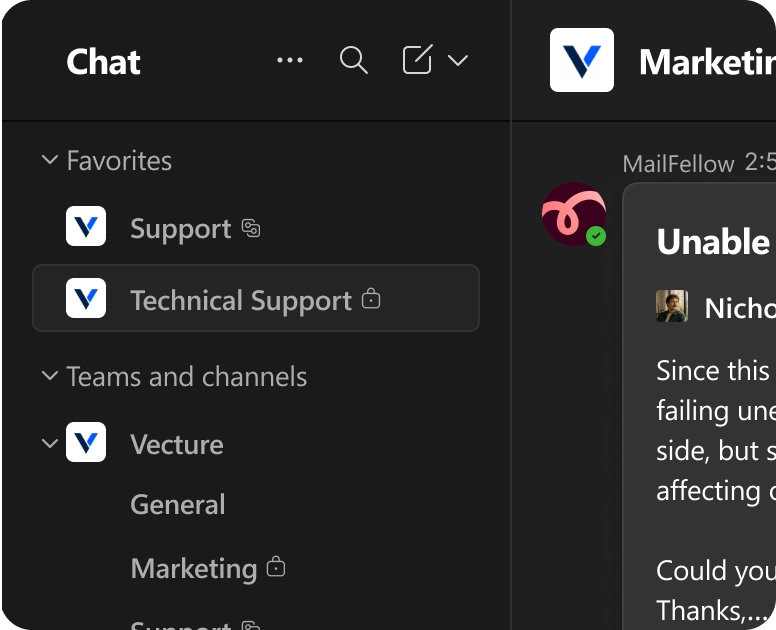
MailFellow sends emails to your Teams channels as Adaptive Cards. Your team reads, discusses, and replies from Teams. Customers receive a standard email reply.
No credit card required. Works with Microsoft 365 and Exchange
Unable to complete API requests
 Nicholas
·
<nicholas@direction.com>
Nicholas
·
<nicholas@direction.com>
Since this morning, some of our API requests have been failing
unexpectedly. We haven’t made any changes on our side, but several
requests are now returning errors and affecting our production workflow.
Could you take a look?
Thanks,
Sarah Kim
Show more
 Resolve
Block
Resolve
Block
Your team collaborates in Teams. But customer emails live in Outlook, where only one person at a time can deal with them.
You flip between Outlook and Teams dozens of times a day. Every switch breaks your focus and slows your team down.
Inbox (2,154) Teams (1)
Nobody knows if that support email was handled. It sits in one person's inbox while the rest of the team is blind.
 Elena
Only Read
Elena
Only Read
Customers wait while your team figures out who should respond. By the time someone replies, the moment has passed.
You can't see email status without asking. No dashboard, no assignments, no way to know what's open or overdue.
 No Dashboard
Emails arrive as Adaptive Cards with action buttons. Your team discusses in threads and replies with one click. The customer gets a normal email.
 MailFellow
1 new message
MailFellow
1 new message

Everything in one place
Emails land in the Teams channel your team already watches. No tab switching, no context loss.
 Incoming:
21
Incoming:
21
 Sent:
12
Sent:
12
 Open:
9
Open:
9


Every email tracked
Assigned, resolved, or pending. Every email's status is visible to the whole team in real time.

Reply in seconds
Type in the Teams thread. MailFellow sends it as a real email from your address. The customer never knows the difference.
Solved 24 Mail Ticket
Solved 6 Mail Ticket

Full visibility
Dashboard shows every email's status across all channels. Know what's open, who's handling it, and how fast you're replying.
Built for organizations that standardize on Microsoft 365.
Unable to complete API requests
Nicholas
·
<nicholas@direction.com>
Since this morning, some of our API requests have been failing
unexpectedly. We haven’t made any changes on our side, but several
requests are now returning errors and affecting our production workflow.
Could you take a look?
Thanks,
Sarah Kim
Show more
Resolve
Block
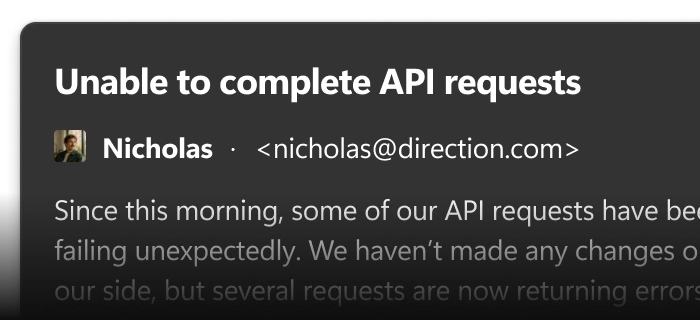
Every email appears as a formatted Adaptive Card showing the sender, subject, body preview, attachments, and action buttons. Cards support Reply, Assign, and Resolve actions right from the card itself.
Type your response in the Teams thread and MailFellow sends it as a real email. Discuss internally with your team before replying. The customer only sees the final answer.
Each Adaptive Card includes buttons for resolve, assign, and block. One click and the action is taken. No commands to learn or remember.
Route different email addresses to different Teams channels. Support emails go to the support channel, sales to the sales channel. Keep conversations organized.
Pin the MailFellow dashboard as a tab in any Teams channel. Access analytics, settings, and email history without leaving Teams.
Works with your existing Microsoft 365 authentication. No separate login, no extra passwords. Your team is ready to go from day one.
Connect your mailbox, select a channel, and go. Setup takes about two minutes.
Connect Email
Continue with Microsoft 365 Continue with IMAPLink your Microsoft 365, Outlook, Gmail, or IMAP account. OAuth for Microsoft and Gmail, app password for IMAP.
Popular Apps
 MailFellow
Your inbox, inside your team chat
MailFellow
Your inbox, inside your team chat
 4.2 (802 ratings)
Add MailFellow to your Teams workspace and select the channel for incoming emails.
Unable to complete API requests
Nicholas
·
<nicholas@direction.com>
Since this morning, some of our API requests have been failing
unexpectedly. We haven’t made any changes on our side, but several
requests are now returning errors and affecting our production workflow.
Could you take a look?
Thanks,
Sarah Kim
Show more
Emails appear as Adaptive Cards. Reply in threads, click action buttons, and collaborate with your team.
Whether you're handling support, closing deals, or running operations, MailFellow fits your workflow.
Route support@ to your support channel. Your team sees every ticket, assigns owners, and resolves issues without leaving Teams.
Customer Support
Inbound leads appear in your sales channel instantly. Reps reply within minutes instead of hours, and the whole team sees pipeline activity.
 4 replies
Last reply now
4 replies
Last reply now
Vendor emails, invoices, and logistics updates, all visible in one channel. No more digging through Outlook to find that shipping confirmation.
Everything you need to know before connecting your email to Teams.
Teams
Yes. MailFellow supports Microsoft 365 via OAuth and on-premise Exchange via IMAP. Both methods are supported during setup.
Yes. Pin the MailFellow dashboard as a tab in any Teams channel for quick access to analytics, settings, and email history.
Yes. Email notifications and Adaptive Cards work on the Teams mobile app. You can read and reply to emails from your phone.
MailFellow offers a free 7-day trial with no credit card required. After that, the Pro plan is $9/month and the Business plan is $29/month. See the pricing page for full details.
Yes. Emails are encrypted in transit and at rest. MailFellow does not store email content permanently. Messages are forwarded to your chat platform in real-time. Your data stays yours.
 Finance Team