




Customer Support
Run a shared support@ inbox where the whole team sees every ticket, assigns owners, and resolves issues with full context and no duplicate replies.
# Support



Team Collabration
MailFellow turns email into a team conversation. Discuss in threads, assign owners, track progress, and reply with a single voice.
No credit card required. Unlimited team conversations.
#bug reports

Unable to invite
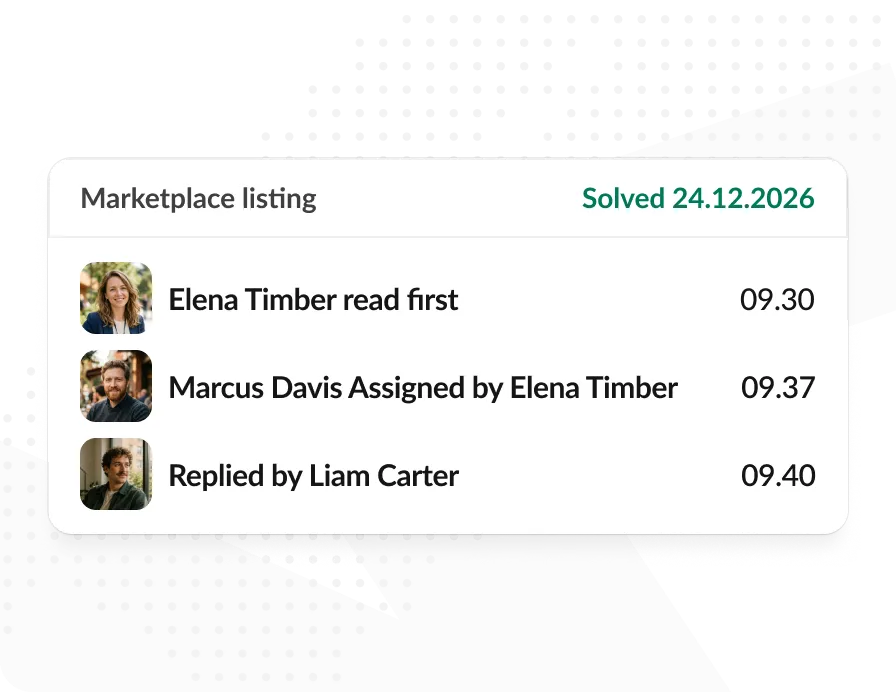
Marketplace listing
Enterprise plan




#bug reports

#marketing

#support


Multiple people reading the same inbox. Duplicate replies. No ownership. No history of who said what.
Only one person sees the email. The rest of the team is completely blind to what's coming in or what's already been handled.
No one knows if an email was handled. It falls through the cracks or gets duplicate replies from two people at the same time.
Hi Mâria I’m Josh
Hi Mâria I’m Elena
Internal discussion happens via forwards and “see below” replies. The original thread becomes a tangled mess that's impossible to follow.

 CC: Mâria, Support Team, Josh
Different people reply with different tones, different information, different promises. Customers get a fragmented experience.
 Solved, Can you check again.
We’re work on it thank you for pati
Solved, Can you check again.
We’re work on it thank you for pati
Your team discusses the email in a thread. One person drafts the reply. Everyone sees it before it goes out. The customer gets one clean response.


Shared visibility
Every email is visible to the whole team. No silos, no blind spots. Everyone knows what's in the inbox at all times.


Clear ownership
Assign emails to specific people. Everyone knows who is handling what, and nothing falls through the cracks again.
4 replies
Last reply 1 min ago

Thread-based discussion
Talk internally before replying. The team aligns in a private thread. The customer only sees the final, polished response.

One reply
The team aligns internally, then one person sends. No duplicate responses, no conflicting information, no confusing the customer.
Purpose-built for teams that need to manage email together without the chaos.
I checked the logs. It’s the rate limiter on the new deploy, rolling back now.
Good catch. Let’s reply that we found the issue and are fixing it.

Every email gets a private team thread where your team can discuss, ask questions, and align before responding. The entire conversation history is preserved and searchable.
Give every email a single owner. Assign a teammate in one click and everyone can see who is handling what, so no thread gets picked up twice or dropped.
Follow each conversation from open to resolved. Status is visible to the whole team, so nobody has to ask whether a customer is still waiting.
Pull the right person into a thread by name. They get notified with the full context, without forwarding the email or starting a side conversation.
Leave notes that only your team can read. Context, caveats, and decisions stay attached to the email instead of scattered across chat and memory.
See every action on a thread in order: who replied, who reassigned, who changed status and when. A complete audit trail without any manual bookkeeping.
Every email becomes a thread. Your team discusses, assigns, and replies from one place.
Select a Platform
Add a Team Member
@liamcarterConnect your shared email address and invite your team. Each member links their chat account and gets access to the shared inbox.
Control who can reply, who can assign, and who gets notified for new emails. Fine-grained permissions keep the right people in the right roles.
I checked the logs. It’s the rate limiter on the new deploy, rolling back now.
Marcus Davis 9:38 PMGood catch. @Liam can you handle the reply? Let them know we found the issue and are fixing it.
Assign emails, discuss in threads, track status, and reply together. Your customer gets one clear response from a unified team.
Whether you’re running support, closing deals, or managing accounts, MailFellow keeps your team in sync.
Run a shared support@ inbox where the whole team sees every ticket, assigns owners, and resolves issues with full context and no duplicate replies.
Team sell on deals without stepping on each other. Assign inbound leads, discuss strategy in private threads, then reply with a consistent, aligned message.
Good catch. @Liam Carter can you handle this sale?
Hand off accounts between team members without losing context. The full email history, notes, and thread discussions transfer seamlessly to the new owner.
 transfer all detail
Learn how MailFellow helps your team collaborate on email, from assigning owners and tracking status to keeping internal discussions private.
Team Collabration
Yes. They will see the assignment when they return. Notifications are sent through your chat platform so they know immediately when they come back online.
Only the assigned person can reply, preventing duplicate responses. If no one is assigned, any authorized team member can reply. This keeps your customer communications clean and consistent.
No. Thread discussions in your chat platform are completely private. Only explicit replies sent through MailFellow are delivered as email. Your internal conversations stay internal.
MailFellow offers a free 7-day trial with no credit card required. After that, the Pro plan is $9/month and the Business plan is $29/month. See the pricing page for full details.
Yes. Emails are encrypted in transit and at rest. MailFellow does not store email content permanently. Messages are forwarded to your chat platform in real-time. Your data stays yours.